How to use Wonderwiz, screen by screen
Every feature, from creating your account to your first paid order. Each step has a screenshot with numbered marks, so you always know where to click.
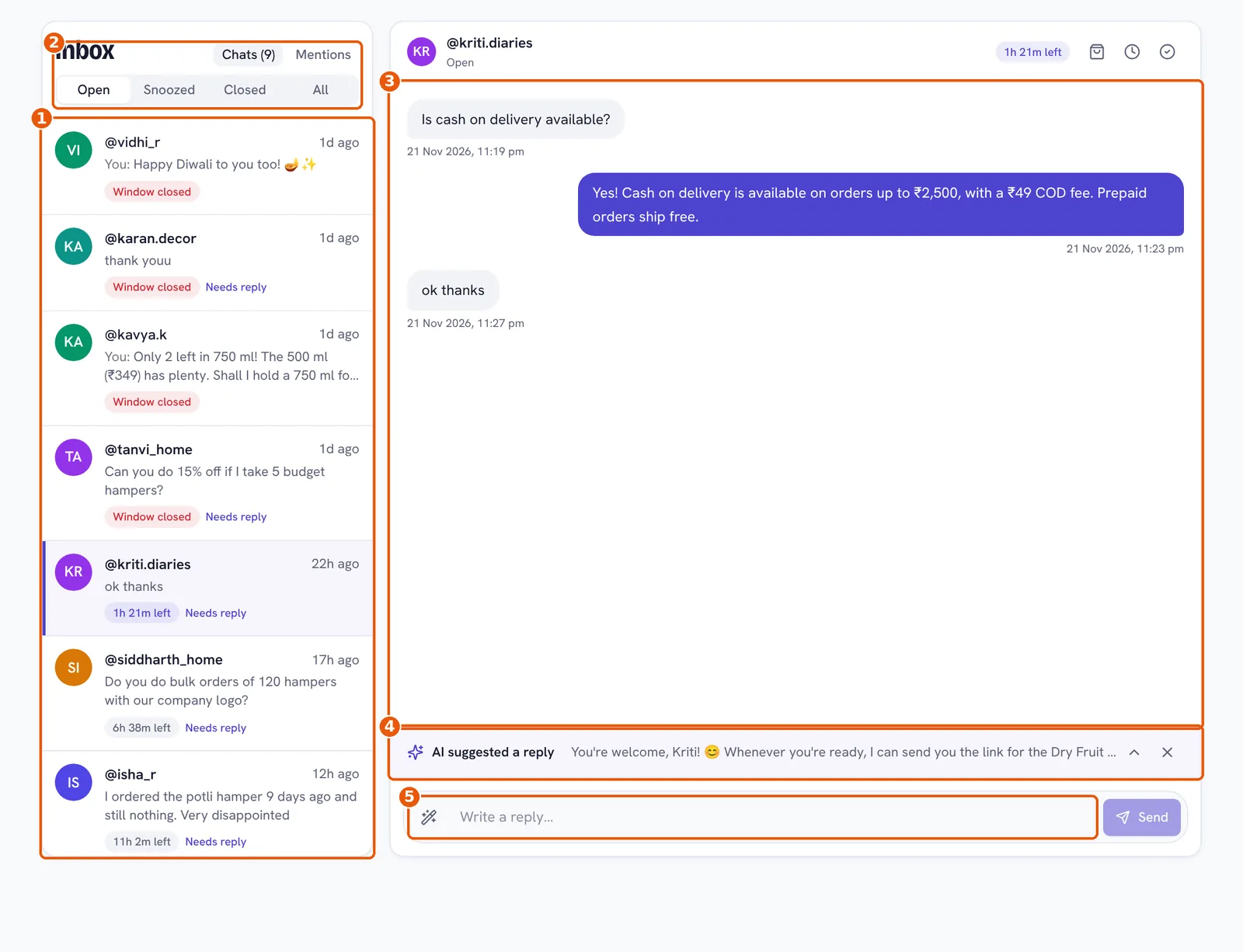
Follow the numbers
Open the guide next to Wonderwiz and work through it at your own pace. Most sellers are set up in about 20 minutes.
- Each numbered box on a screenshot matches a numbered step below it.
- Written for shop owners, in plain words. No technical knowledge needed.
- Save it on your phone or print it. It works offline.
What's inside
Getting started
Create your account and walk through the 7-step setup.
Connect Instagram
Which login button to pick, and how to keep the connection healthy.
Home
Your day at a glance: what needs you, what's waiting, what got paid.
Products
Add products, sizes and colours. The AI only quotes prices from here.
Posts
Link each post to what it sells, so price comments get the right answer.
Automations
Price replies under comments, and your own keyword rules.
Inbox
Every DM in one place, with the AI's suggested reply ready to send.
Approvals and AI settings
Choose what the AI sends alone and what it asks you about first.
Needs attention
The chats only you can answer, most urgent first.
Orders and payments
Set up Razorpay or UPI, then track every order to delivery.
What your buyer sees
The checkout page your customer fills in, step by step.
Teach your AI
Policies, knowledge base and brand voice, so answers sound like you.
Contacts and broadcasts
Tag your buyers and message the ones who opted in.
Content
Plan and schedule posts from a calendar.
Analytics
Who your buyers are, what they want, and how fast you reply.
Team, billing and plans
Invite your team and pick the plan that fits.
Settings and privacy
Business profile, data export and account deletion.
Tips and common questions
A daily routine that works, and quick answers.
Stuck on a step?
Email support@wonderwiz.in with a screenshot of where you are, and we'll walk you through it.
Ready to try it on your own shop?
The Free plan never expires and needs no card. Keep the guide open while you set up.